





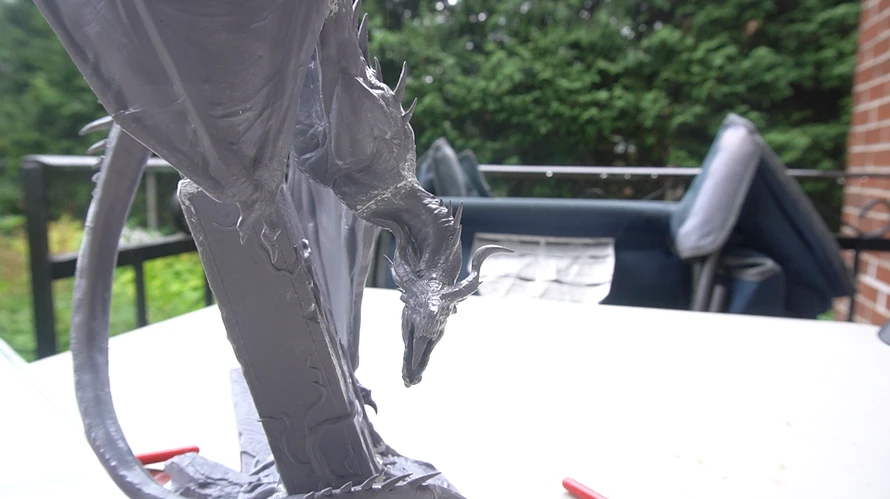
Before priming and painting a mini, it's often best to prepare the surface by removing the mold lines and cleaning the gaps.
Step 1. Remove mold lines and imperfections
Mold lines are small seams left from the plastic injection mold manufacturing process.They are easy to miss, but once painted, they become very visible. For 3D prints, you might need to clean support marks.
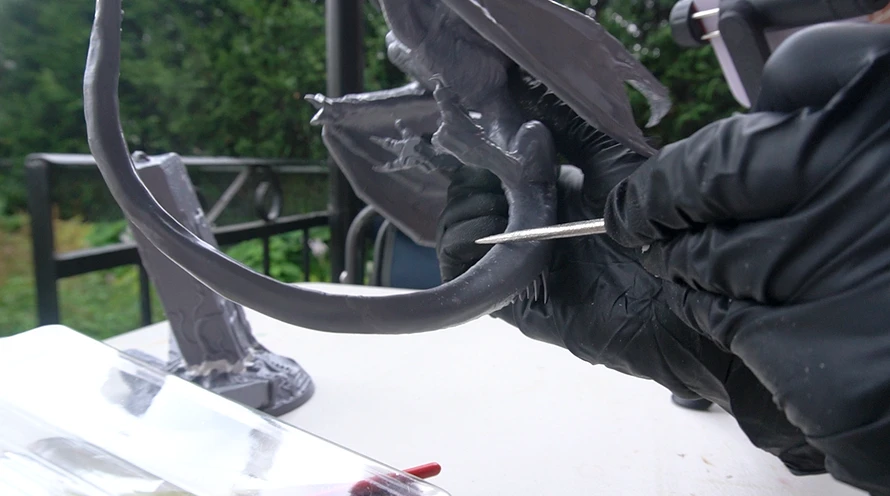
Use a hobby knife, sanding sticks or files togently remove them.
Step 2. Fill visible gaps (if needed)
Sometimes there are small gaps where parts meet. These can be filled using modeling putty. Apply a small amount and smooth it out.
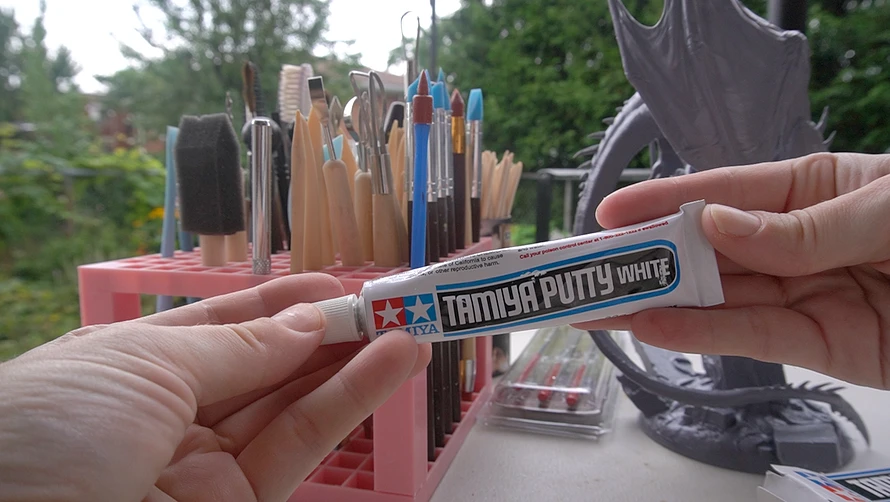
Modeling silicon tools are quite handy toapply putty cleanly. Once the putty is dry, sand it off so it becomes smooth.
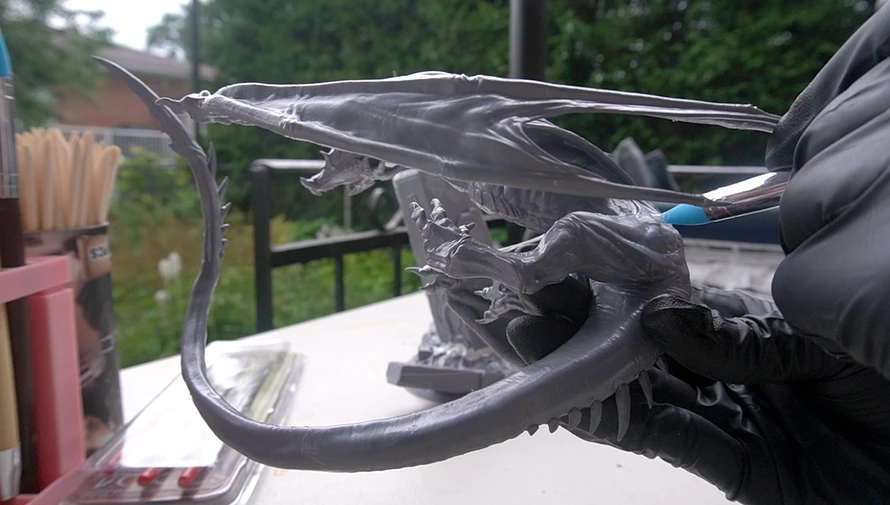
Step 3. Clean the mini
Before priming, it's a good idea to remove dust and sanding residue.
This can be donewith a quick rinse in water or lightly brushing off with a dry old paintbrush. Then let it fully dry.
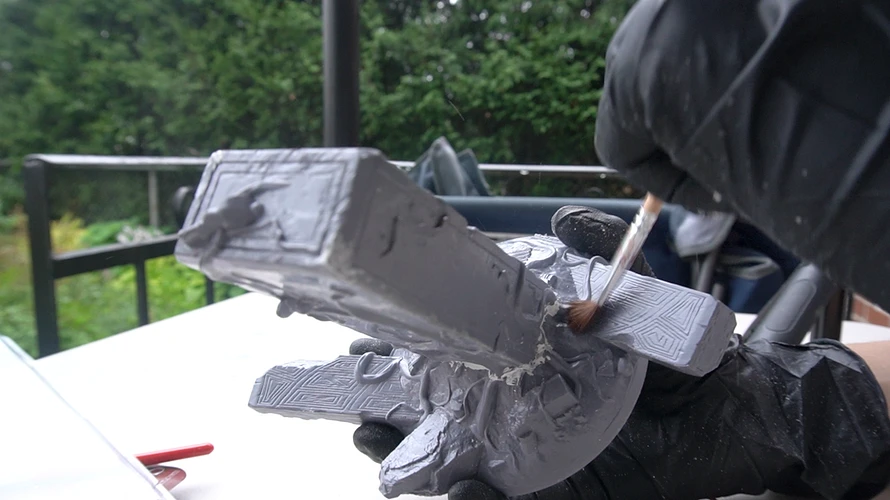
Step 4. Final check
Take one last look before priming. Are there any obvious lines or gaps left? Once primer goes on, these become harder to fix cleanly.
If you would like more step-by-steps like this or have mini painting questions, you can check out our mini painting guide. We have:

Every year since 2022, we've built a new tabletop game for our nieces and nephews at Christmas. Like everyone, we started without any experience or knowledge of the process. Over the years, we developed our own process and the game experience improved each time.
Here's what that process actually looks like, using our 2025 game, Snow Jumpers, as the example.
1. Brainstorm the vibe and the goal
Before any rules exist, we ask three questions:
- what kind of game is this,
- what's the energy supposed to feel like,
- and what's the one thing a player is trying to do?
For Snow Jumpers, the idea came together the day after Christmas the year before, right after wrapping up a massive RPG-style game. We wanted a high energy game with short rounds, more like a brawl or a race, and the players would try to dominate the centre and accumulate points.
2. Sketch it on a whiteboard
For our second game, we came up with the idea to put down a foamcore white board from the Dollar store flat on the table to brainstorm ideas and layouts.
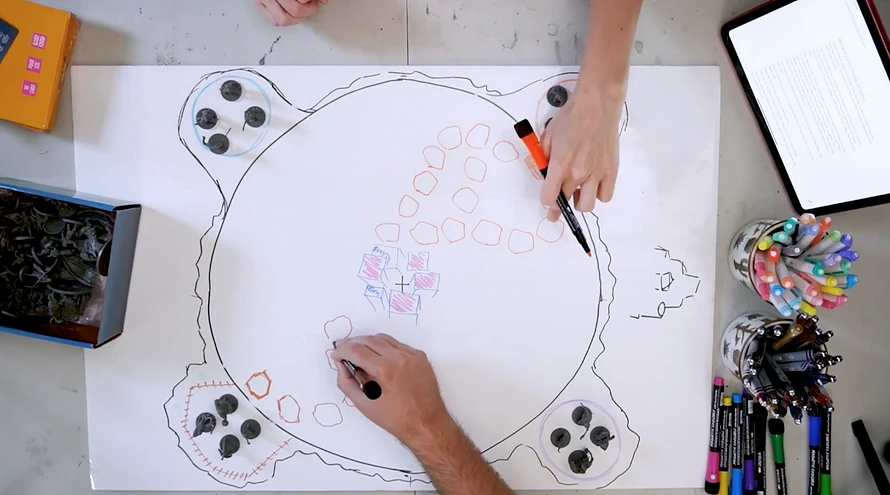
For Snow Jumpers, that meant drawing a circular board with paths leading from home bases to a center zone, with the goal of getting tokens to the middle and keeping them there. We could not design a final board without knowing how many tiles in the path or at the center, how many game tokens, and how the energy felt while playing.
Using a white board allowed us to easily adjust the board design by quickly erasing and drawing different configurations.
3. Mock it up with scrap cards
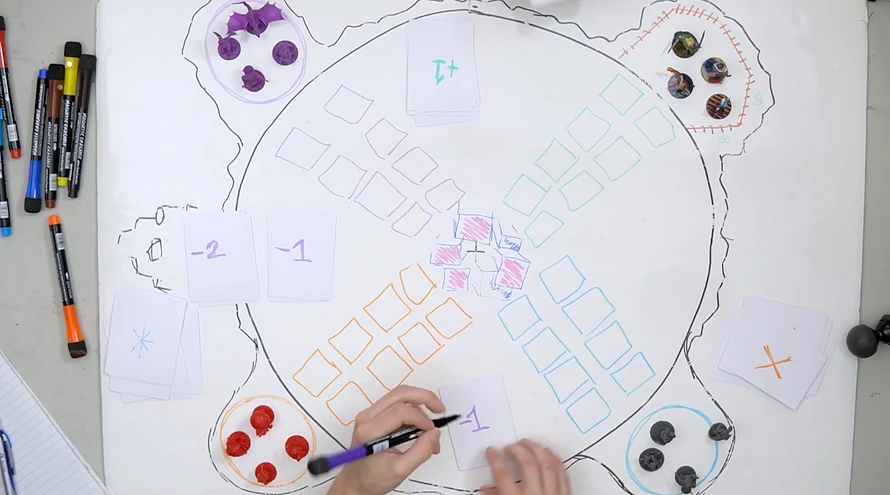
When our games involve cards or other similar items (like point trackers, tokens or tiles), before touching real components, we make placeholder cards out of plain dry-erase cards or just cut-up pieces of scrap paper. Cheap, fast, and disposable, so changing the rules costs nothing.
Since we started doing that more seriously, we got ourselves a set of dry-erase cards we can now reuse for creating our games. It gives the playtest a closer feel to using the real cards.
4. Playtest, repeat, and cut what slows it down
Our first version had eight winding paths and four players per team, and it was nearly unplayable, it took forever for even one player to reach the center. So we erased it and started over with four tiles instead of eight, fewer defensive cards, more forward momentum. Even then, it was still too slow. So we cut again, dropping to three players per team and removing a center spot. That third version finally worked, the game became fun to play.
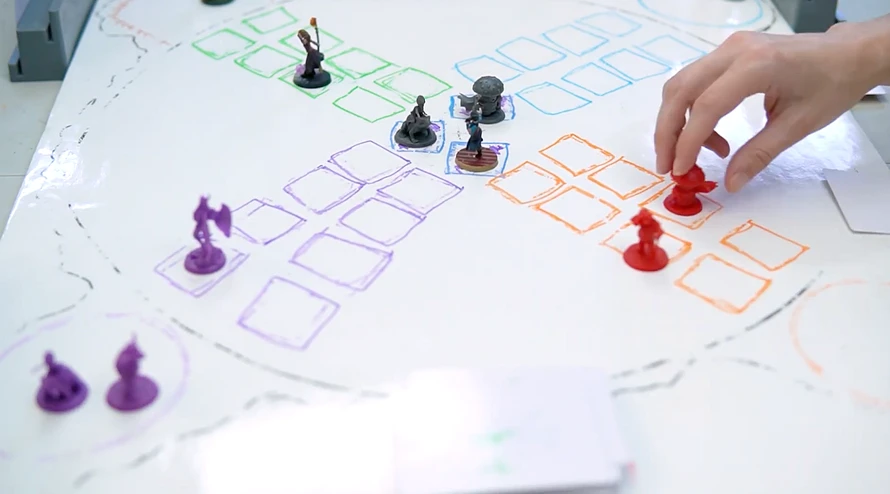
The lesson: if a game isn't working, the fix is rarely a patch. It's almost always "cut more than you think you need to." For our second game, we had five lands, and we edited one out entirely. For our third game, we cut all the side missions and we removed two full worlds and replaced them with one giant medieval castle. If we were to revisit them today, we would cut even more out.
When you test your game, remember the objectives you set during your original brainstorm. Does it have the vibe, energy and beats you were hoping for? Is it aligned with the type of game you were planning to make? Are the players spending time doing what they are supposed to be doing?
5. Build a rough mockup and add the bells and whistles
We like to build interactive games mixed with a digital experience. Once the core game is genuinely fun on paper, only then we add all the fun extra stuff. For Snow Jumpers, that meant RFID sensors and a Raspberry Pi controller to automatically track which team held the center longest.
Doing that is a lot of work and requires a lot of planning, so before we assemble the final board and final assets, we create a foam and cardboard mockup using scrap pieces. This way, we can test the gameplay experience with the digital components and electronics to do some final adjustments before using the expensive materials or going to professional printing production.
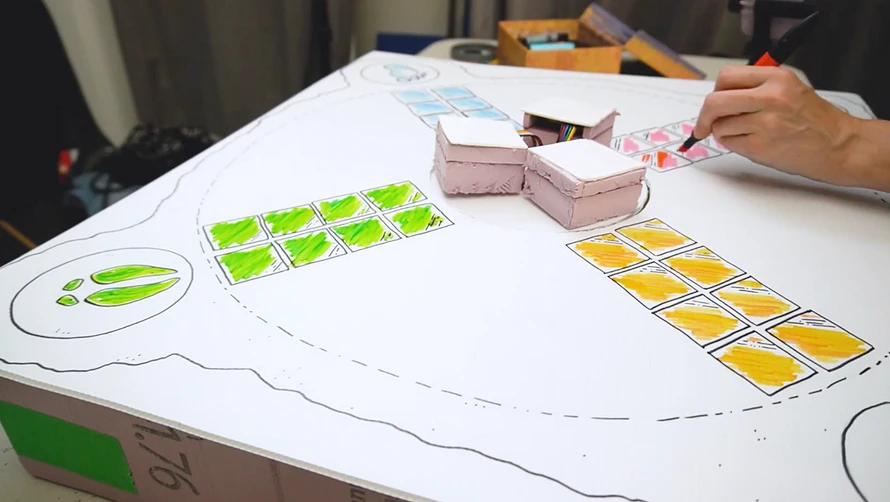
If the base game is not fun played on a piece or paper or a piece of cardboard, it’s not the lights, electronics, or sounds that will save it. Adding complexity to a game that isn't fun yet won’t hide the problem.
6. Playtest with people who aren't you
Once we have a working physical mockup, we test the game with other players who’ve never seen it or played it. Watching people who didn't design the game try to learn it in real time told us things our own playtesting never could. When you design your own game, things might make sense to you, or stuff that is simple to you might be really complicated in reality.
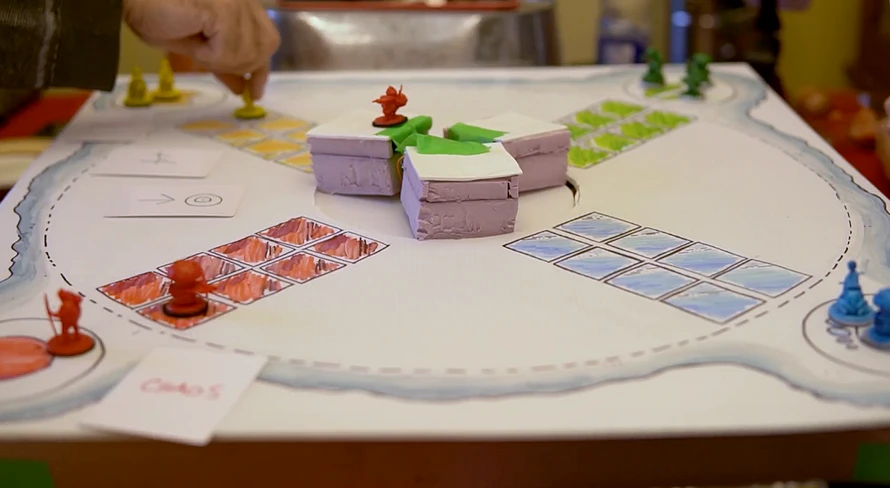
7. Build the final game and test again
Only once the game had survived outside testing did we move to final materials: the real board, the final minis, final card art, final assembly. Even at this stage we kept testing, because a board that works in foam and cardboard doesn't always behave the same once it's solid and permanent. You might craft your board with foam, 3D print it, or send it to print to a professional facility. Even at that time, you might get surprises.
Sometimes, the creases on a folding board can be in an inconvenient place, the provided tokens might be too light or small and 3D printed minis might be too fragile for the gameplay style. You might need to redo or adjust final assets as well. Make sure to allow time to test these and plan potential redos.
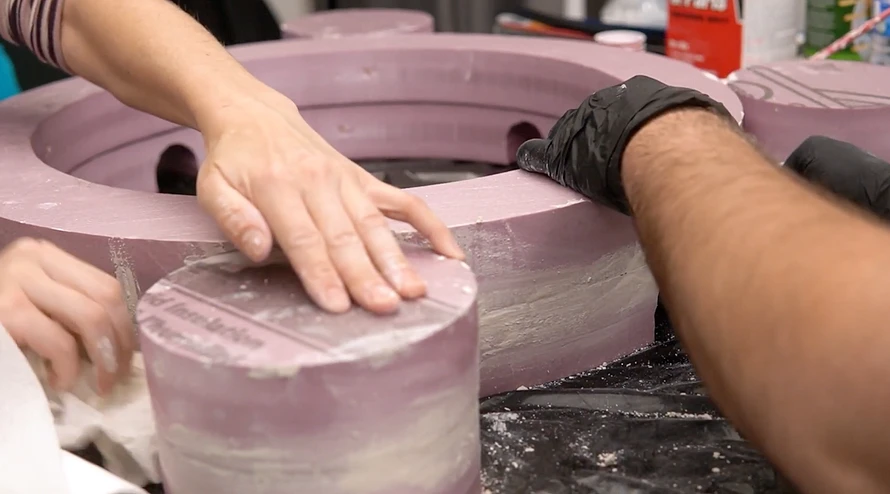
The point of all of it
We mainly build these games for one big surprise night a year for our family. By the time the kids sit down to play, all the planning, testing, soldering, and redone assets disappear in our minds. What's left is just whether they're having fun. That's the only metric that's ever actually mattered, from the first whiteboard sketch to the last round on Christmas Day.
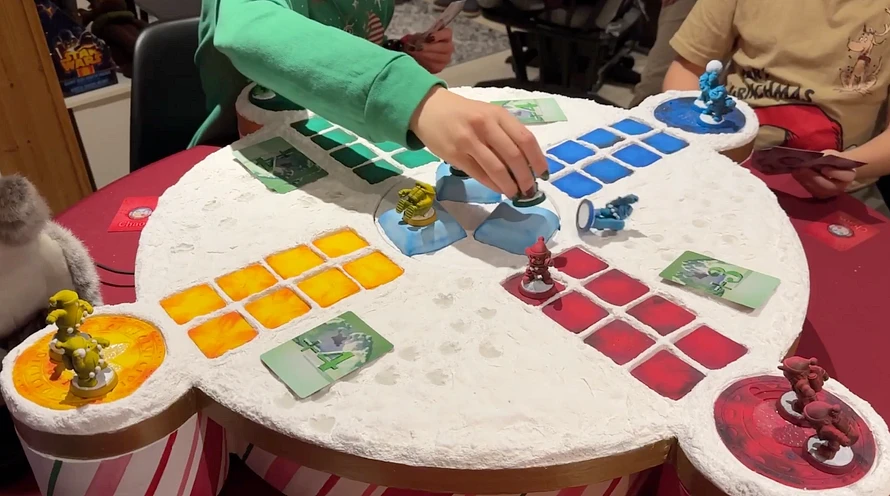
You can watch the whole Snow Jumpers making of here!

Splitting a mini painting project between two people is not something most hobbyists think about, but it is a useful technique, especially when you have a large batch to get through or when two painters have different skill sets to bring to the same project.
We have done it twice now, in two different ways, and both times it saved significant time and produced a more consistent result than either of us painting everything alone.
Snow Jumpers: base coating a large batch
For Snow Jumpers we had a full set of game tokens to paint. A large batch, all needing the same base coat treatment before any detail work could start. One of us handled all the base coating across every token. The other came in afterward for the layering and detail pass on each one.
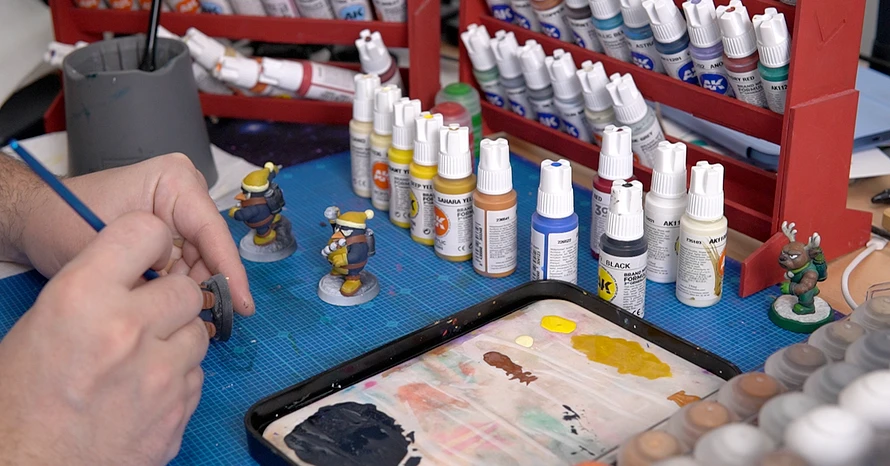
The time saving was obvious. Base coating a large batch is repetitive and straightforward, and having one person focus entirely on that stage while the other stays fresh for the detail work is much more efficient than each person painting complete minis from start to finish.
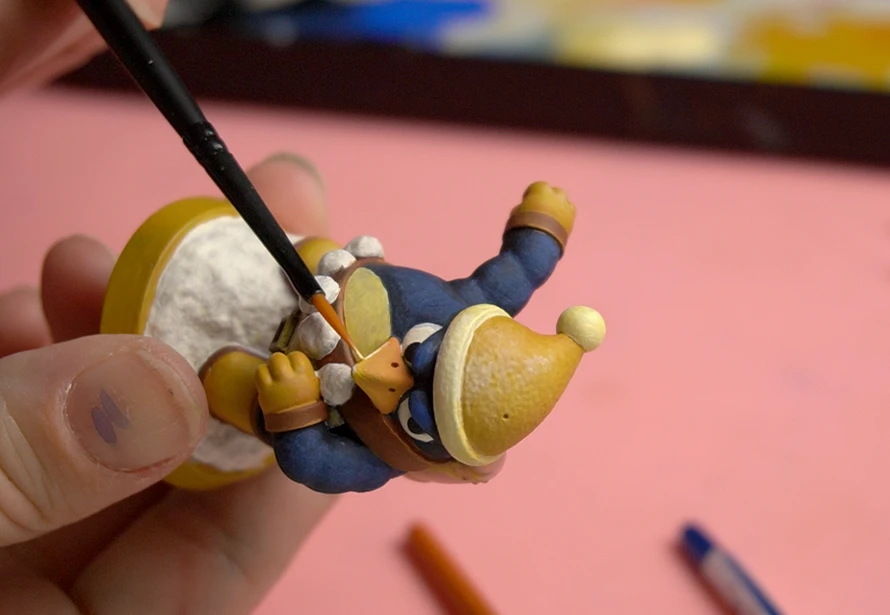
The less obvious benefit was consistency. When the same hand does the same stage across an entire set, the batch reads as a unified group even if two different people finish them. The base coat is the foundation everything else sits on, so getting it consistent across the whole set made the final results hang together in a way that would have been harder to achieve otherwise.
The orc: splitting by what the mini needs
The orc from Helios Tabletop was a different kind of split. We split the tools and techniques instead of steps in the brush painting process.
The first painter used the airbrush to prime it black and to lay down the green skin base coat and colour transitions. Smooth, even coverage across a large skin surface is exactly what the airbrush does well.
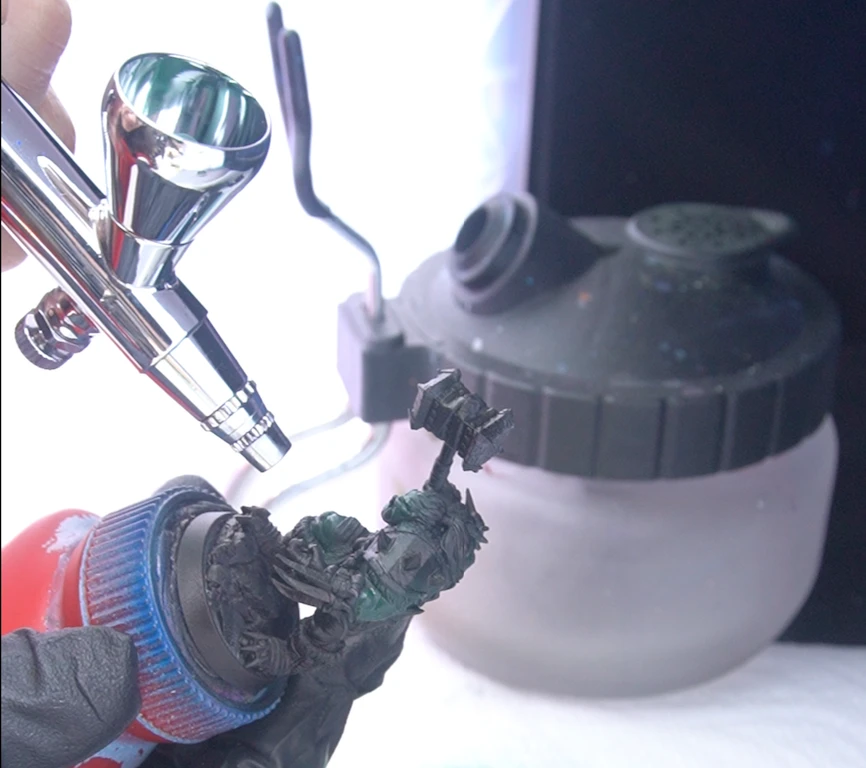
After that, everything else was brush work. This mini has an extraordinary amount of detail: layered skins, bone and horn textures, metal spikes, a helmet, weapons. The airbrush could not have handled that level of precision, and it did not need to. So the second painter took over for the brush work.
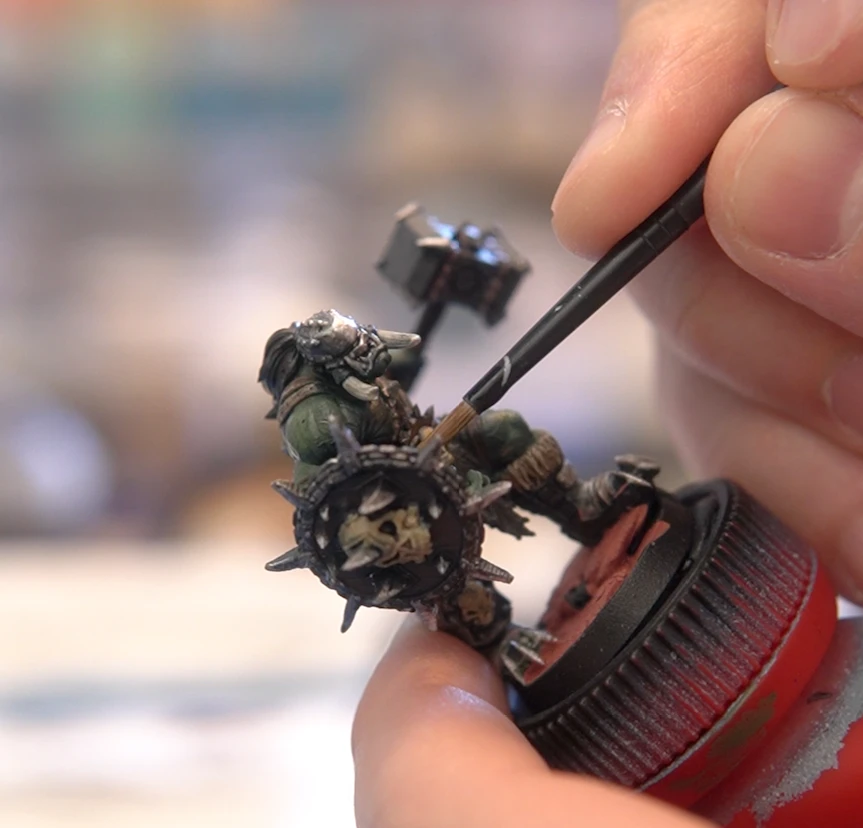
The split made sense because the two stages genuinely called for two different approaches and one of us was learning to airbrush.
The takeaway
If you are painting a large batch, consider splitting the stages between painters rather than having each person paint complete minis. One person handles base coats across the whole set, another comes in for the detail pass. You get through the batch faster, each painter stays in their lane, and the consistency of a single hand doing each stage shows in the final result.
If you are splitting a single complex mini, think about which stages suit which skills or tools. Airbrush for broad coverage and transitions, brush for anything requiring precision. The stages do not have to go to the same person.
🎨 You can find more mini painting resources here.

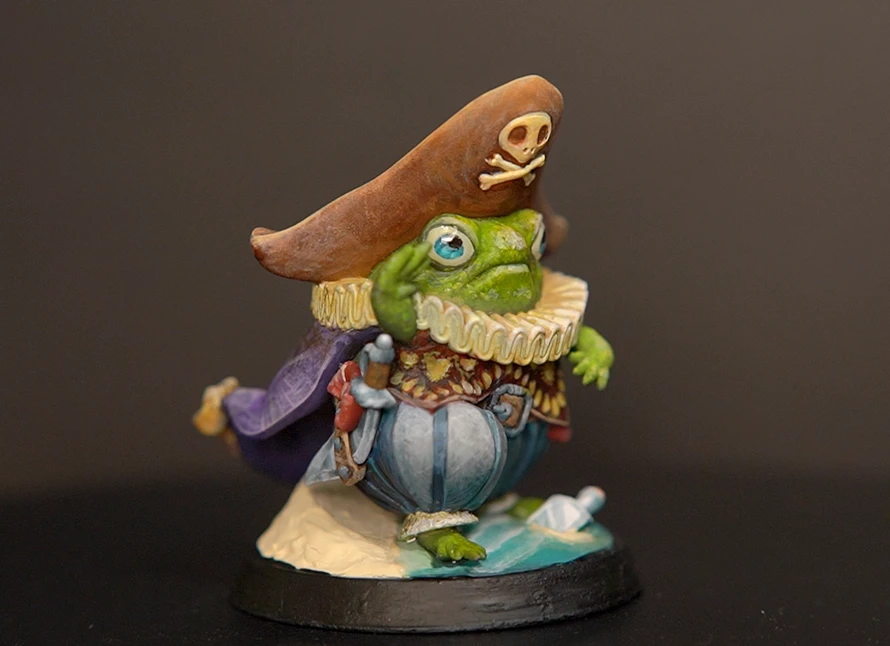
This is a breakdown of how I painted the Pepunki Creatures Pirate: Captain Billy Quacks, one of the most technically ambitious minis I had tackled at that point. What made it interesting was not any single technique but how many different tools and approaches were needed to finish it, and how they had to work together rather than in sequence.
🎥 You can watch the video here: youtube.com/shorts/KYn2D-uyTNM
1. Colour theory first
Before touching the mini, I worked out the colour scheme using a Rectangle Tetradic structure. This takes four colours arranged as two complementary pairs on the colour wheel, giving you a wide colour range that still feels coordinated rather than random.
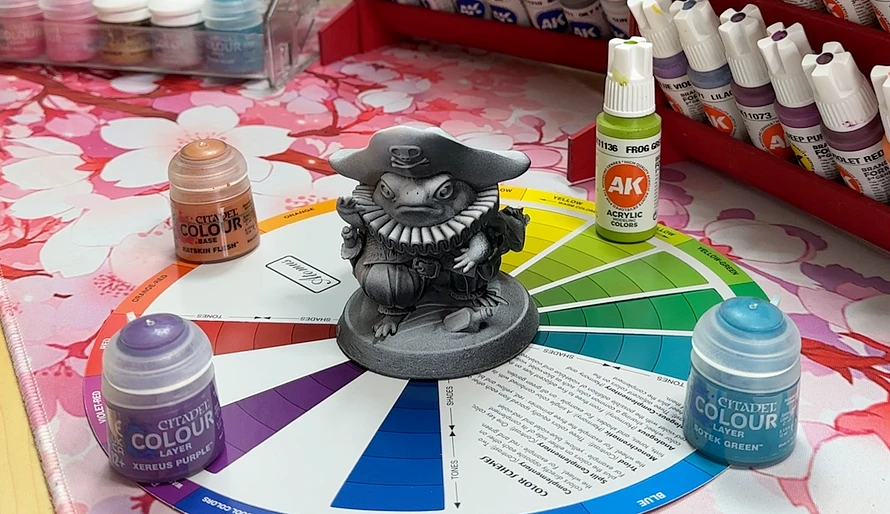
From those four colours I set up the full value range for each: a shade, a midtone, and a highlight. Doing this before starting means you are not making decisions mid-session about whether a colour is too warm or too cool. You already know where each one sits and what its job is.
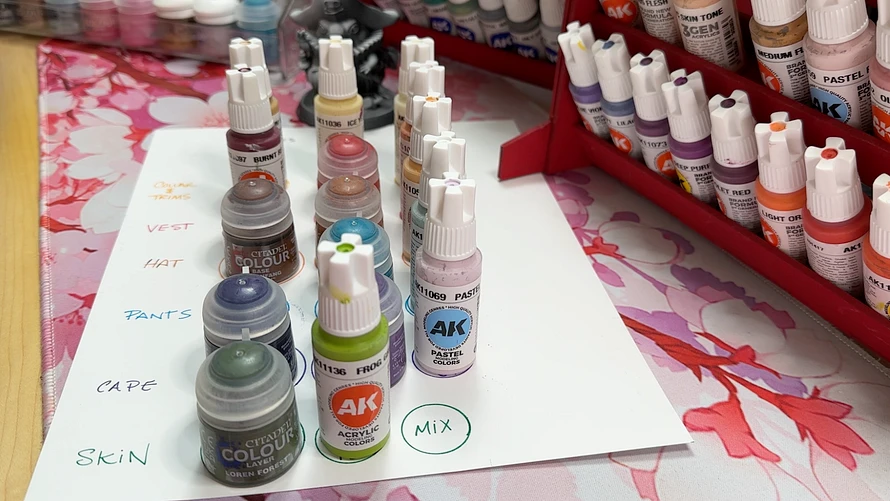
2. Airbrush for colour transitions
I used an airbrush for the broad basecoats and colour transitions across the larger surfaces: the cape, the pants, the hat, and the skin. Starting with the shadow colour, then working the midtone into the raised areas, then catching the highlights at the peaks. I used masking putty to cover up the painted areas as I progressed.
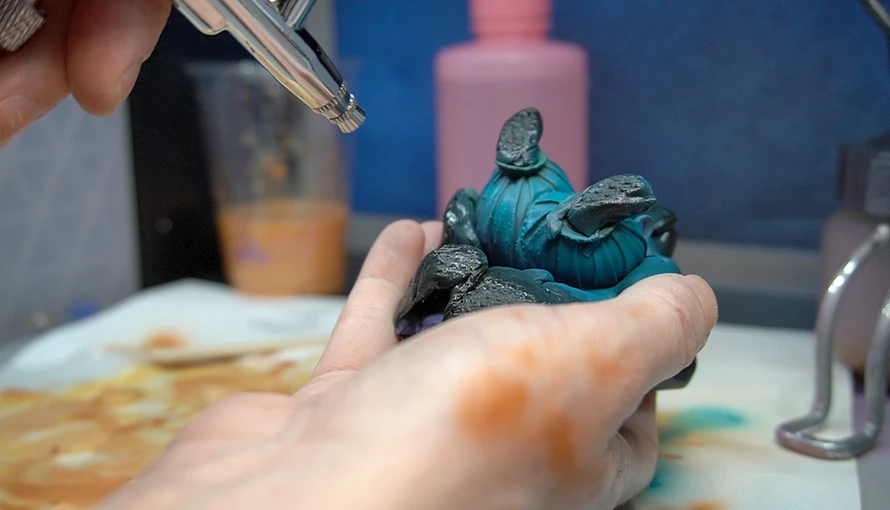
Paint thinning was still something I was figuring out. I got one mix too thin on the face and the paint ran into the details. I cleaned it up and restarted that section. Tip dry was also a problem mid-session, and at one point I had a nozzle clog that sent highlight paint scattering like glitter. These are not disasters, just part of airbrushing. You stop, clean, adjust, and keep going.
3. Brush for texture and character
The airbrush is good at smooth transitions and coverage, but it cannot do the close detail work like textures, lace, or small buttons.
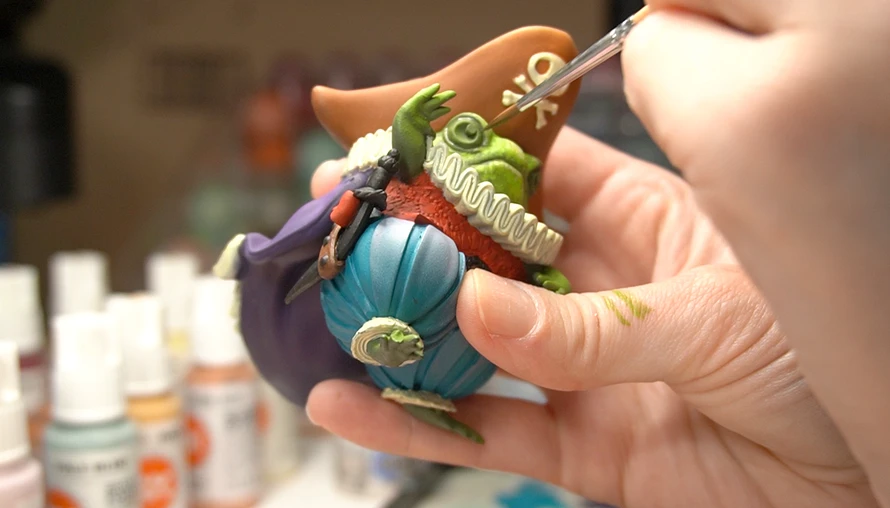
The skin texture came from stippling. Gently using the brush tip and very little paint, I dabbed a series of small dots across the skin surfaces to build up a rough, leathery texture.
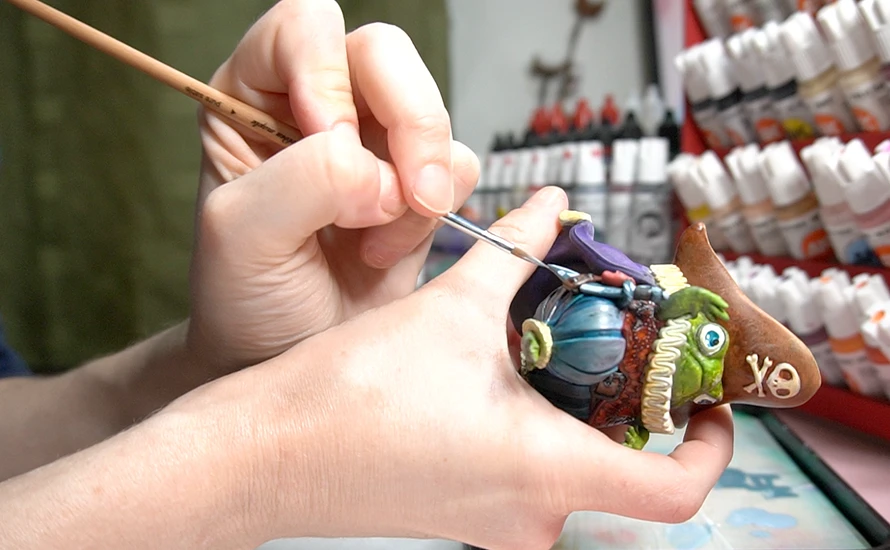
For the leather hat, I painted marks, scratches, and damage, then used contrast paint to push the weathering further. I painted a pattern of worn fabric texture on the cape and pants, involving layering, painting strands, and sponging contrast paint.
For the collar, I added yellowing and staining using diluted yellows and browns, working wet into wet (wet blending) to keep the transitions soft.
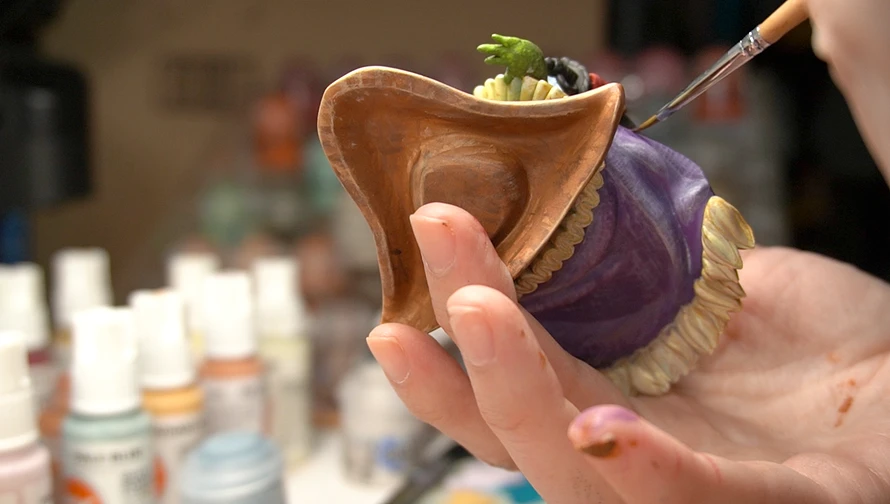
The sword got a pass of Non-Metallic Metal, painting the reflection using just light and dark paint rather than any metallic pigment. Placing the highlights on the edges and letting the rest drop into shadow.
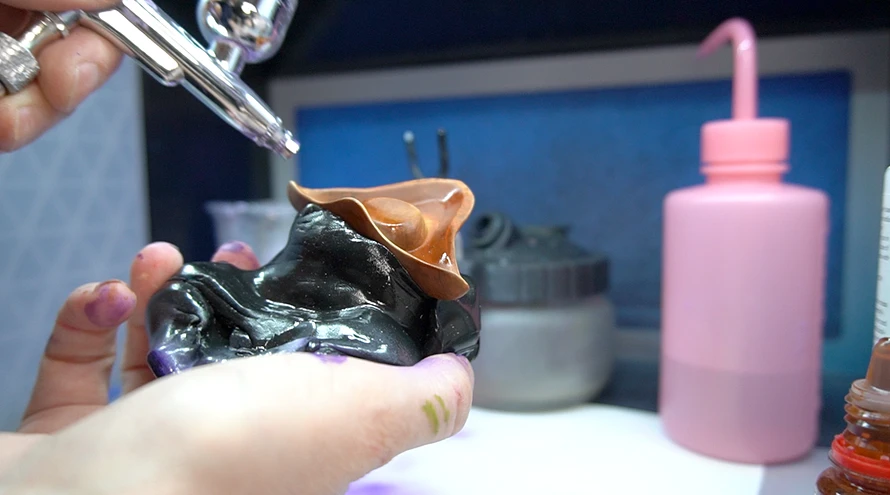
I pulled the airbrush back out to add ink-based contrast into the deeper recesses of the hat and to push the shadows further once the brush work was mostly done. Going back to the airbrush at this stage, after the details are in, lets you unify the contrast across the whole mini without redoing the detail work.
4. UV resin for the eyes and water
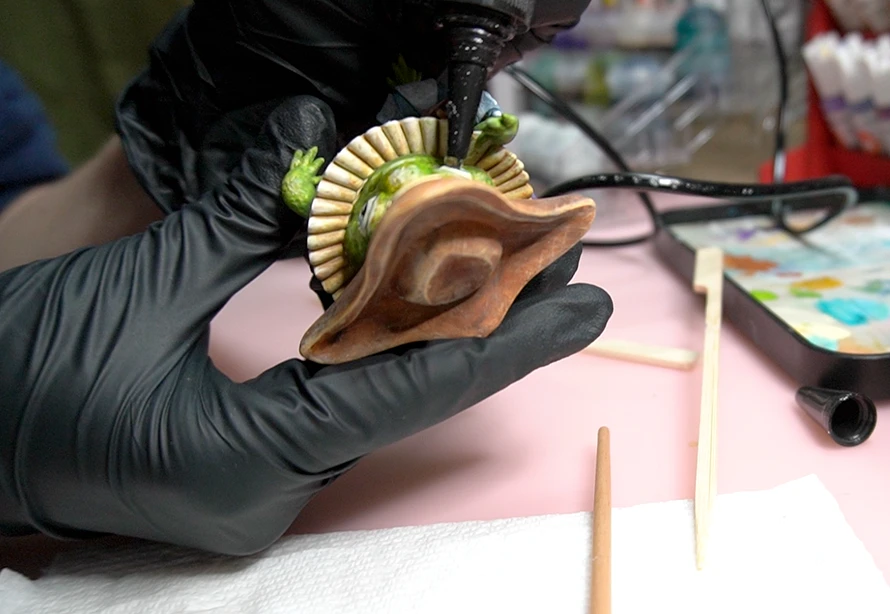
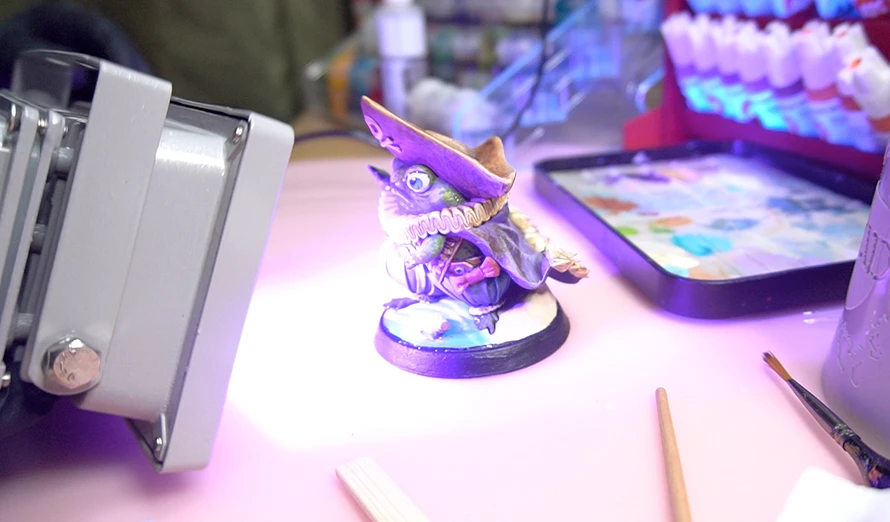
The eyes of this mini are hollow. When I noticed that during the painting session, I immediately wanted to use UV resin to fill them. Clear UV resin catches light in hollow spaces in a way that paint cannot replicate, and the effect on eyes specifically is striking.
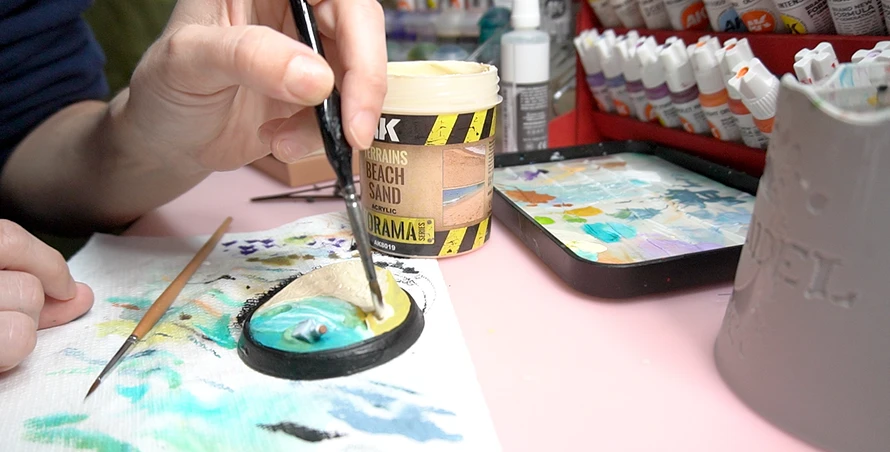
The base is a sandy beach shore with white wave edges. After painting the sand and water tones, I applied AK Interactive terrain beach sand for texture. Then I poured a thin layer of UV resin over the water area, which gave it a wet, reflective surface that matched the painted finish underneath. The resin layer unified the water in a way that paint alone would not have.
The actual takeaway
The workflow on this mini was not linear. I went back and forth between airbrush and brush multiple times, layering effects and going back into areas to increase contrast and weathering.
The single biggest shift in how this mini turned out versus earlier ones was committing to textures. Stippled skin, weathered fabric, sponged staining. Each one takes more time than a clean basecoat and highlight, but the result reads completely differently.
The full toolkit and more painting resources are at couplecraftsminis.com/pages/start-here.
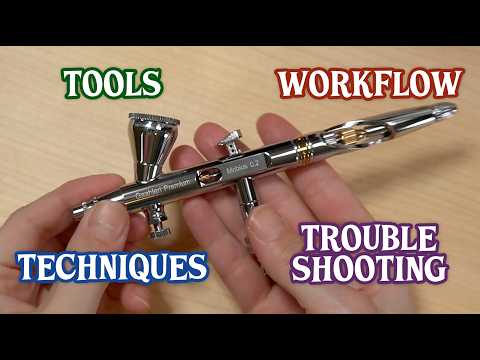
This video covers the main things I have figured out so far about airbrushing for tabletop miniatures including the tools, the workflow, the techniques, and the problems I kept running into and how I eventually sorted them out.
🏷️ #ad: Gaahleri Airbrush and Paints. Use code CCM for 10% off
- 📋 Learning Airbrushing Cheat Sheet
- 📝 Airbrush Anatomy 101: What Every Part Does
- 🎨 Free Mini Painting Resources
- 🛠️ Complete Painting and Crafting Toolkit List
- 🐉 Squidmar Miniatures Strakh Dragon
- ⵌ Squidmar Miniatures Airbrushing Video and Practice Template
🎥 Watch the complete Mini Painting Learning Journey series and see how we are learning mini painting.

A sticky trigger, sluggish needle movement, or air that leaks when it should not are often signs that your airbrush needs lubrication rather than a deep clean. This is a quick maintenance step that most airbrush owners skip until something starts feeling off.
When your airbrush needs lubrication
The most common signals are a trigger that feels stiff or catches when you press it, a needle that does not move smoothly when you pull back, slight air leaking around the trigger area, or general inconsistency in the spray that cleaning alone does not fix.
One thing worth knowing: if you soak your airbrush as part of a deep clean, the soaking process removes a lot of the lubricant from the internal parts. That means a deep clean is always a good moment to follow up with lubrication.
What you need
A dedicated airbrush needle lubricant or a PTFE-based lubricant for the air valve and moving parts, ideally sicilon-free. Do not use WD-40 or general-purpose oils as they can damage the seals inside the airbrush.
The 6-step lubrication process
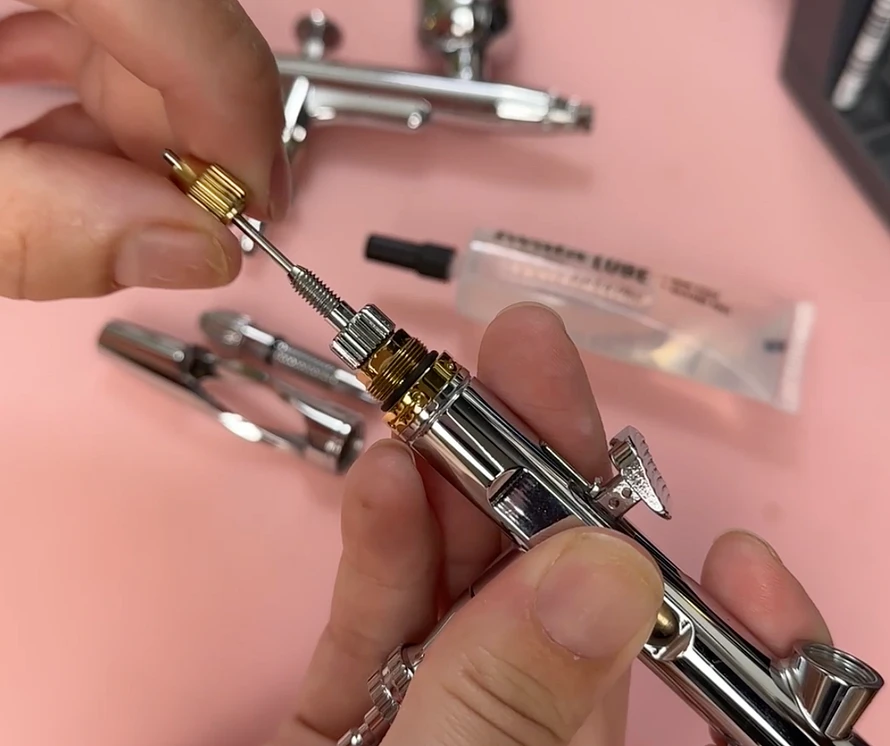
Step 1. Take your airbrush apart. Disassemble it the same way you would for a deep clean: remove the handle, needle chucking nut, needle, and the front assembly including the nozzle cap, air cap, and nozzle. Lay the pieces out in order so reassembly is straightforward. If you want to know more about airbrush parts, check out this post.
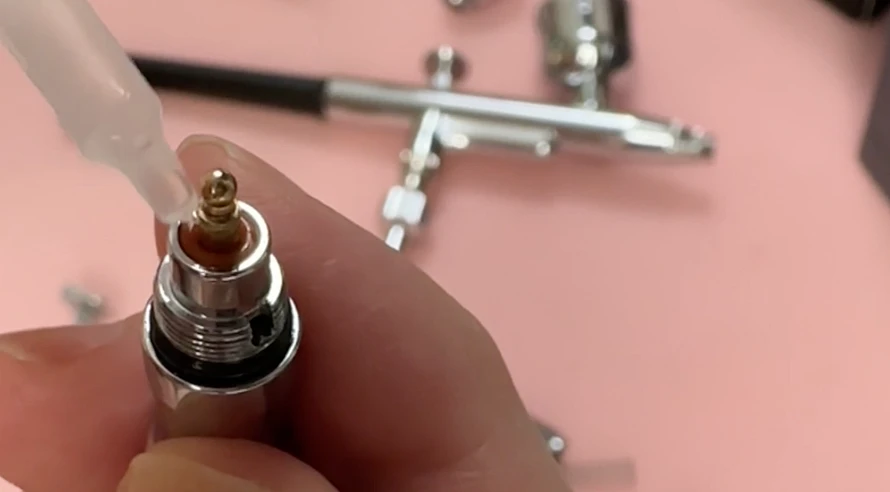
Step 2. Start with the air valve. Apply a small amount of lubricant to the air valve at the bottom of the airbrush body. This is the component the trigger presses down on to release air, and it is a common source of stiffness. A small drop is enough.
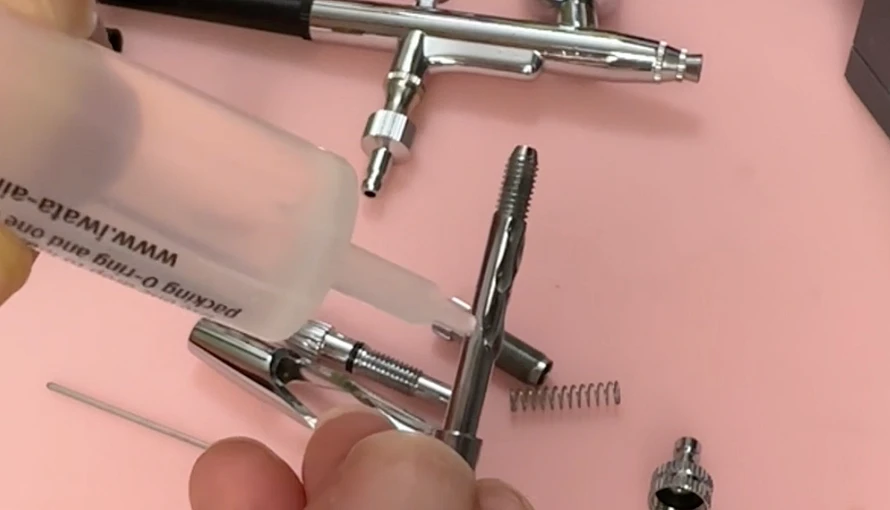
Step 3. Lubricate all other moving parts. Work through any other components that move against each other, including the trigger pivot point and any internal guides. A light application on contact surfaces is all you need.
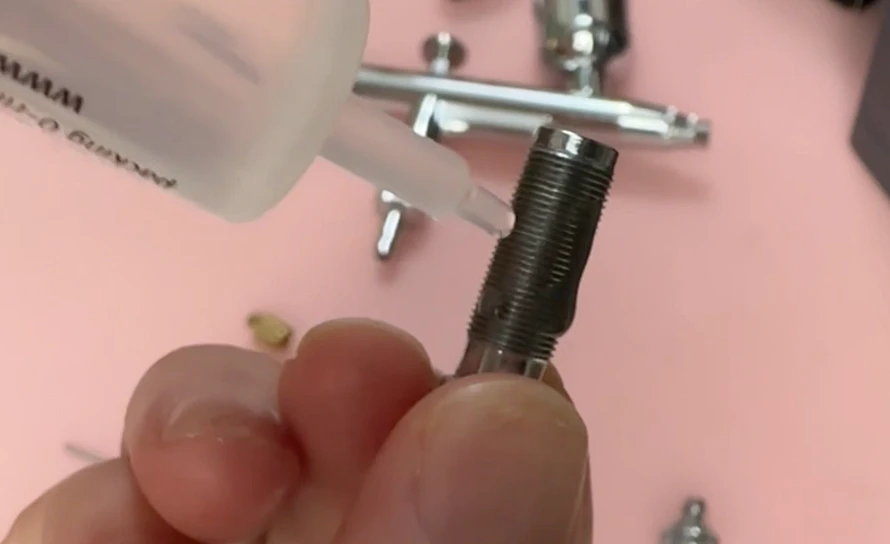
Step 4. Lubricate the screw threads. Apply a thin layer to any screw threads, including the needle chucking nut and the nozzle threads. This makes reassembly smoother and protects the threads over time.
Step 5. Lubricate the front half of the needle. Apply a very small amount of lubricant to the front half of the needle, roughly the section that sits inside the nozzle assembly. Wipe off any excess. Too much lubricant on the needle can cause paint adhesion issues.
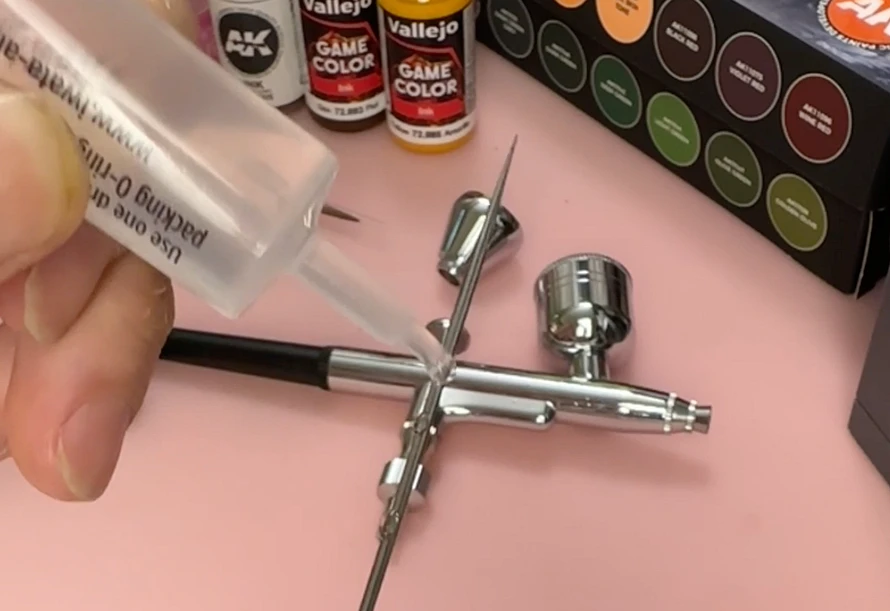
Step 6. Reassemble. Put everything back together in reverse order. The trigger and needle movement should immediately feel noticeably smoother.
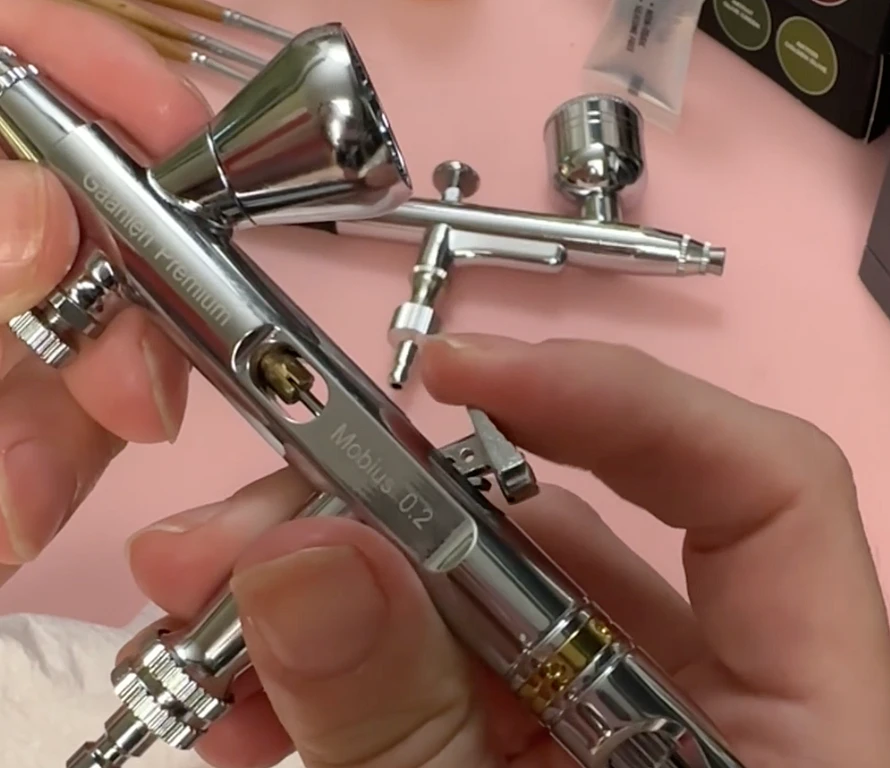
The process is similar across most dual-action airbrush models, so these steps apply whether you are working with a beginner setup or a higher-end model.
If you want the full airbrush cheat sheet covering tools, workflow, techniques, and troubleshooting, you can check out this article.
And if you want to browse the full toolkit we use, it is all listed at couplecraftsminis.com/pages/our-toolkit.

This is Part 2 of our ongoing series on building a crafting toolkit from scratch. If you missed it, Part 1 covered adhesives. This one is all about cutting tools: what you actually need to start, and what to add as your projects grow.
Start here: the three beginner essentials
These three tools cover the vast majority of cutting tasks when you are starting out. If you are building your first kit, get these before anything else.
1) Cutting mat: Protects your work surface and extends the life of your blades. A self-healing mat is worth the slightly higher price since it closes up after each cut and stays smooth much longer. Size matters: go bigger than you think you need.
2) Hobby knives: The most precise cutting tool in the toolkit. The standard handle takes interchangeable blades, so you can swap to a fresh edge whenever the cut starts to drag or tear instead of slice. We go through a lot of blades and it is worth keeping spares on hand.
3) Scissors: A reliable pair of general-purpose scissors does more work than any other cutting tool in a basic kit. Keep a dedicated pair for crafting so you are not hunting down the kitchen scissors every time.
Next additions as your projects grow
Once the basics are covered, these tools solve specific problems that come up as you work on more complex builds.
Circle cutter: Cutting clean circles with a hobby knife is frustrating and inconsistent. A dedicated circle cutter solves this immediately and is worth adding early if circles appear in any of your projects (they appear in almost all of ours).
Bevel cutter: Cuts at a precise angle rather than straight down, which creates clean mitre edges for joining foam or cardboard at corners. Difficult to replicate with a standard blade. They are not all equal in quality, some work better than others.
Decorative edge scissors: Scissors with a patterned blade that cut a decorative edge in a single pass. We use these for terrain textures, shingles, and edge details on paper and thin cardboard.
Thread snips: Small spring-loaded scissors designed for fine detail cutting and trimming. Great for cutting thin string, thread, twine, thin strips of material, stay paintbrush hair and anything that full-size scissors are too clumsy for.
Paper trimmer: Cuts straight lines quickly and consistently across a full sheet. Much faster than a ruler and knife for paper and thin cardboard, and the cut is cleaner. Useful for making cards, scrapbooking, and tags.
Paper punches: Cut specific shapes out of flat material in a single press. We use them for making uniform circles, leaves, and decorative elements in terrain and diorama work.
Pruning shears: A tool borrowed from the garden. These cut real branches, coffee sticks, skewers, and dried plants cleanly, which makes them useful for terrain work where you want natural organic shapes that foam or wire cannot replicate.
Foam-specific cutting tools
If foam is a significant part of your projects, these two tools make a meaningful difference in quality and efficiency.
Hot wire foam cutter: Cuts through XPS foam with heat rather than a blade, which produces a smoother edge and much less crumbling. A handheld version is a good starting point. We used one throughout the Blizzard's End build.
Foam cutting table: A flat surface version of the hot wire cutter, often with a jig or guide for spinning pieces. This is what we use to cut clean circles out of foam, which is otherwise extremely difficult to do consistently.
The full toolkit list with product links is on our toolkit page.